 DuoLang
Translate anything.
Keep it to yourself.
DuoLang is a private translator that runs entirely on your iPhone. It translates what you type, say, scan or import, in the app or anywhere else on your iPhone, and keeps your words on your device.
- No account
- No cloud
- No subscription
Unfold it. The translation unfolds with it.
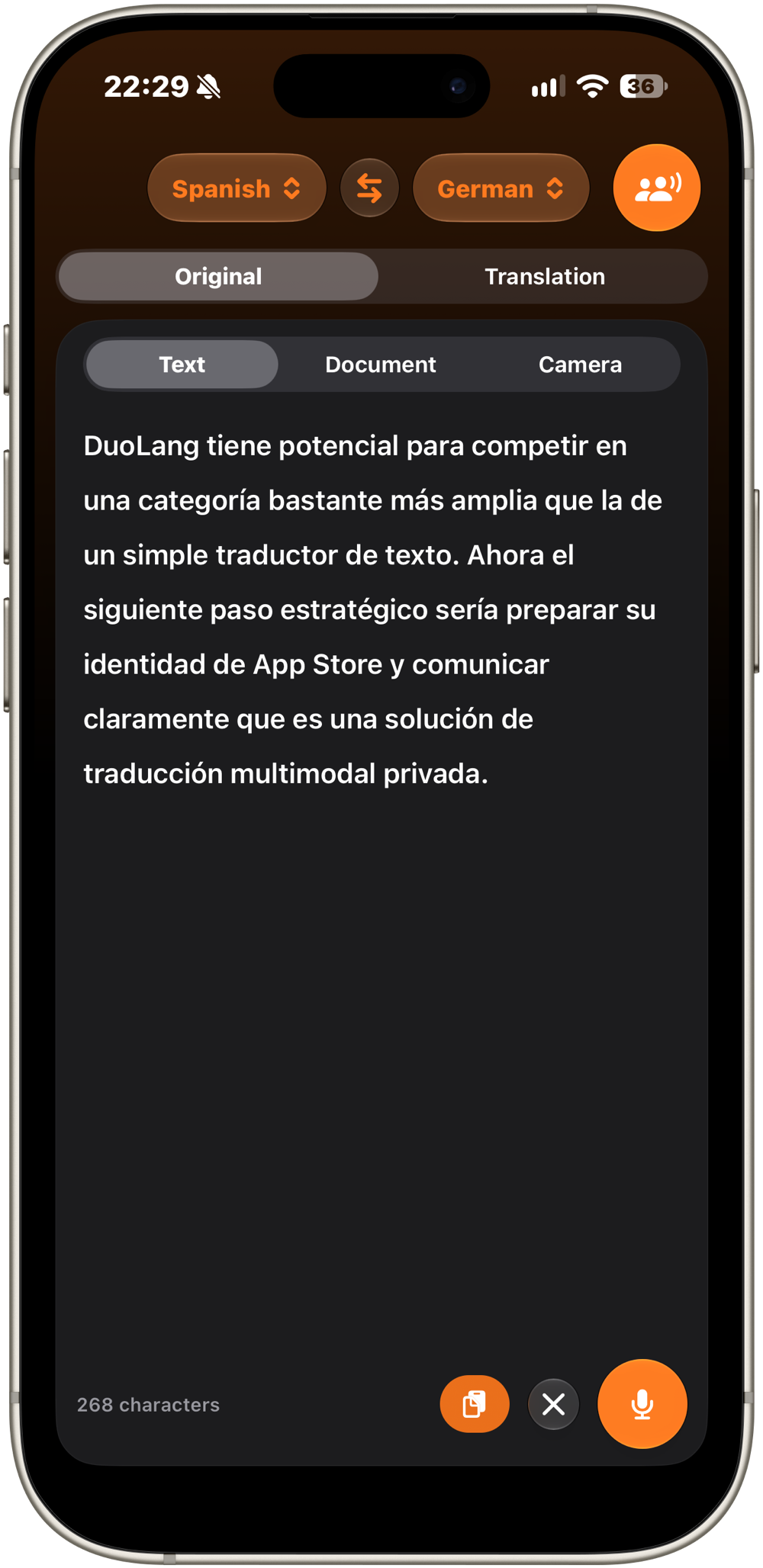
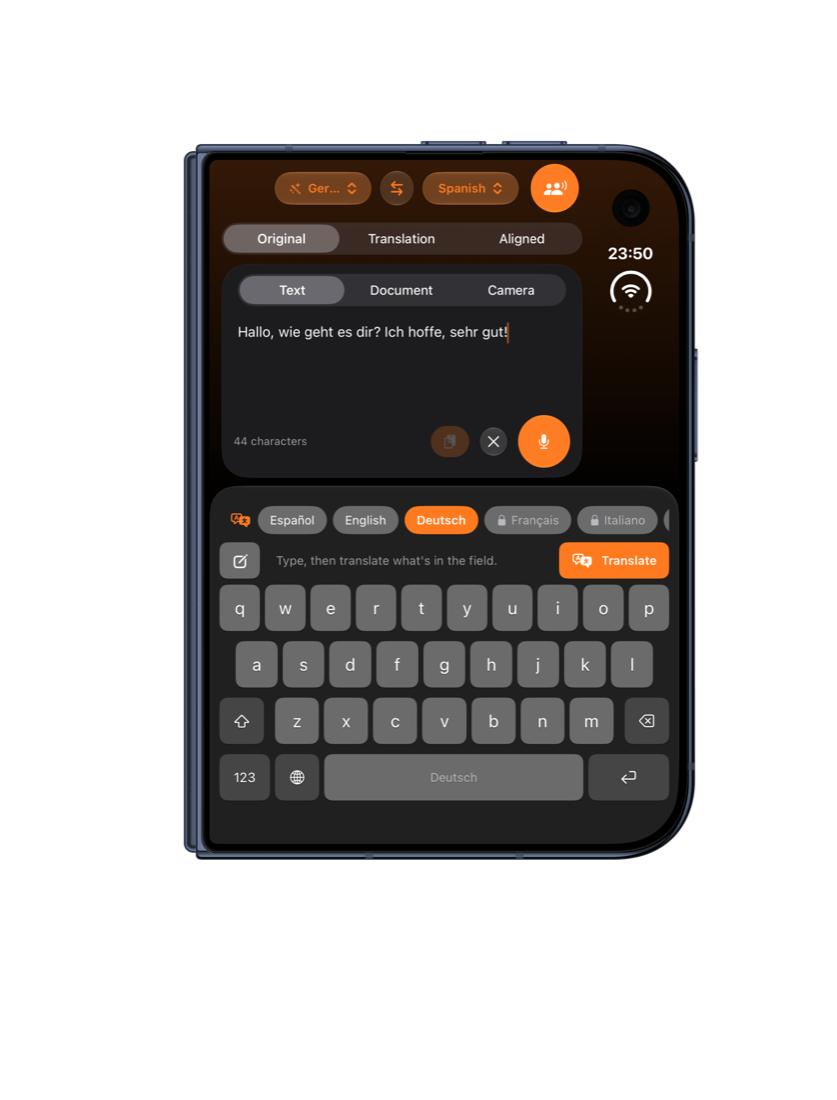
DuoLang adapts the moment you fold or unfold. Closed, it's a compact one-handed translator. Open, the original and the translation sit side by side on the big screen.
Built for the work you do at your desk.
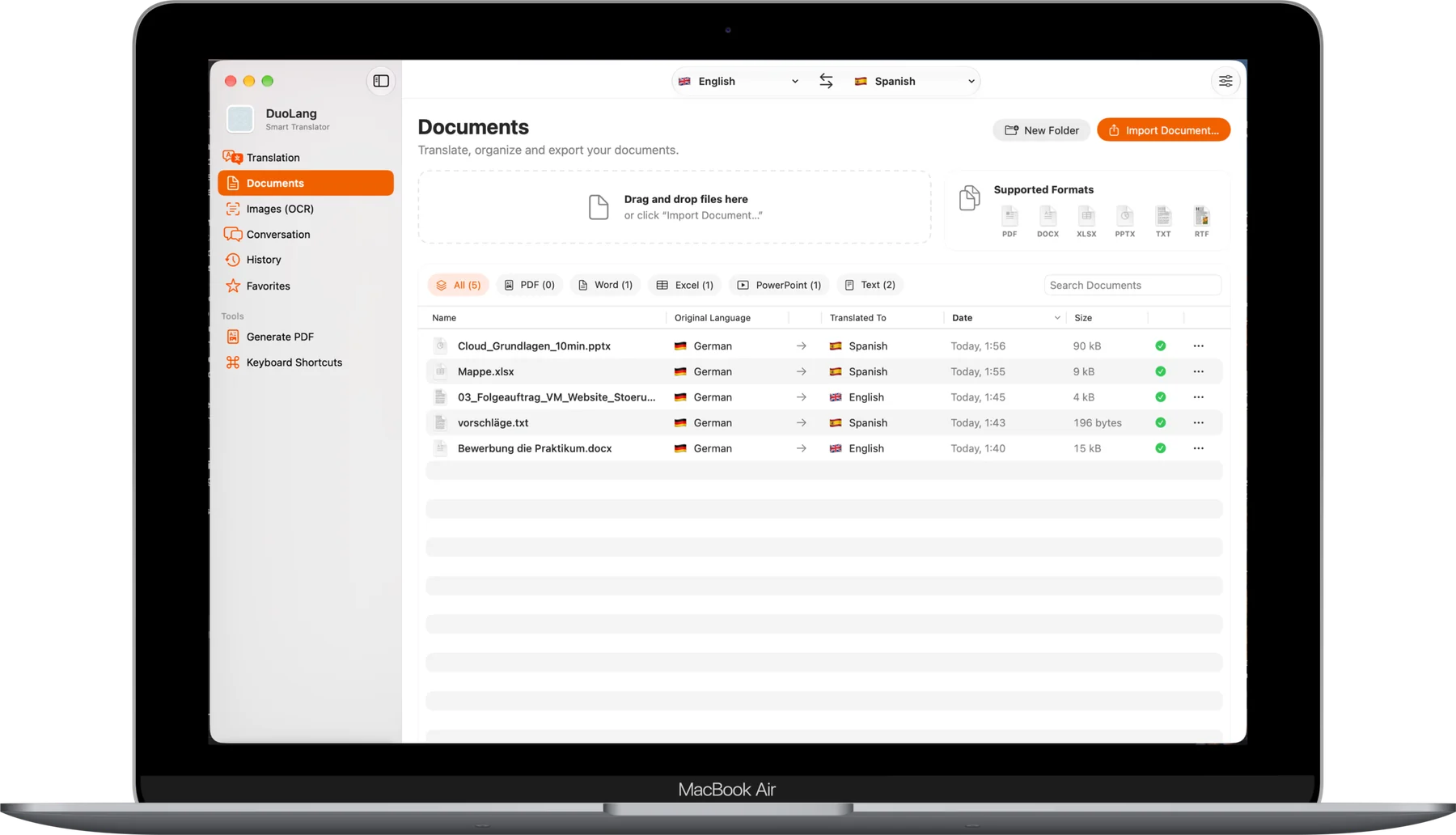
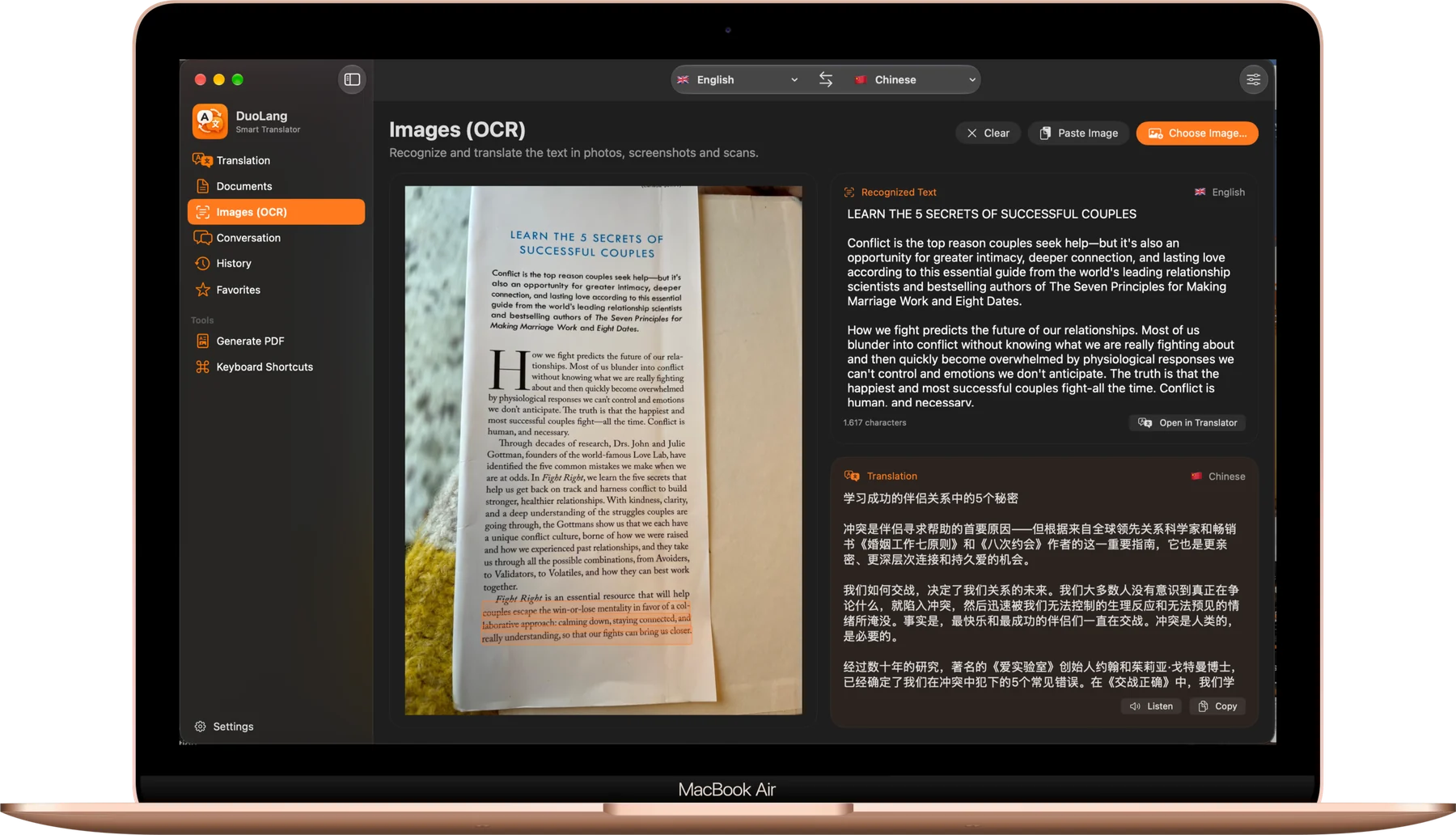
DuoLang for Mac translates whole documents, scanned pages and conversations with a full keyboard and a big screen, privately, right on your Mac.
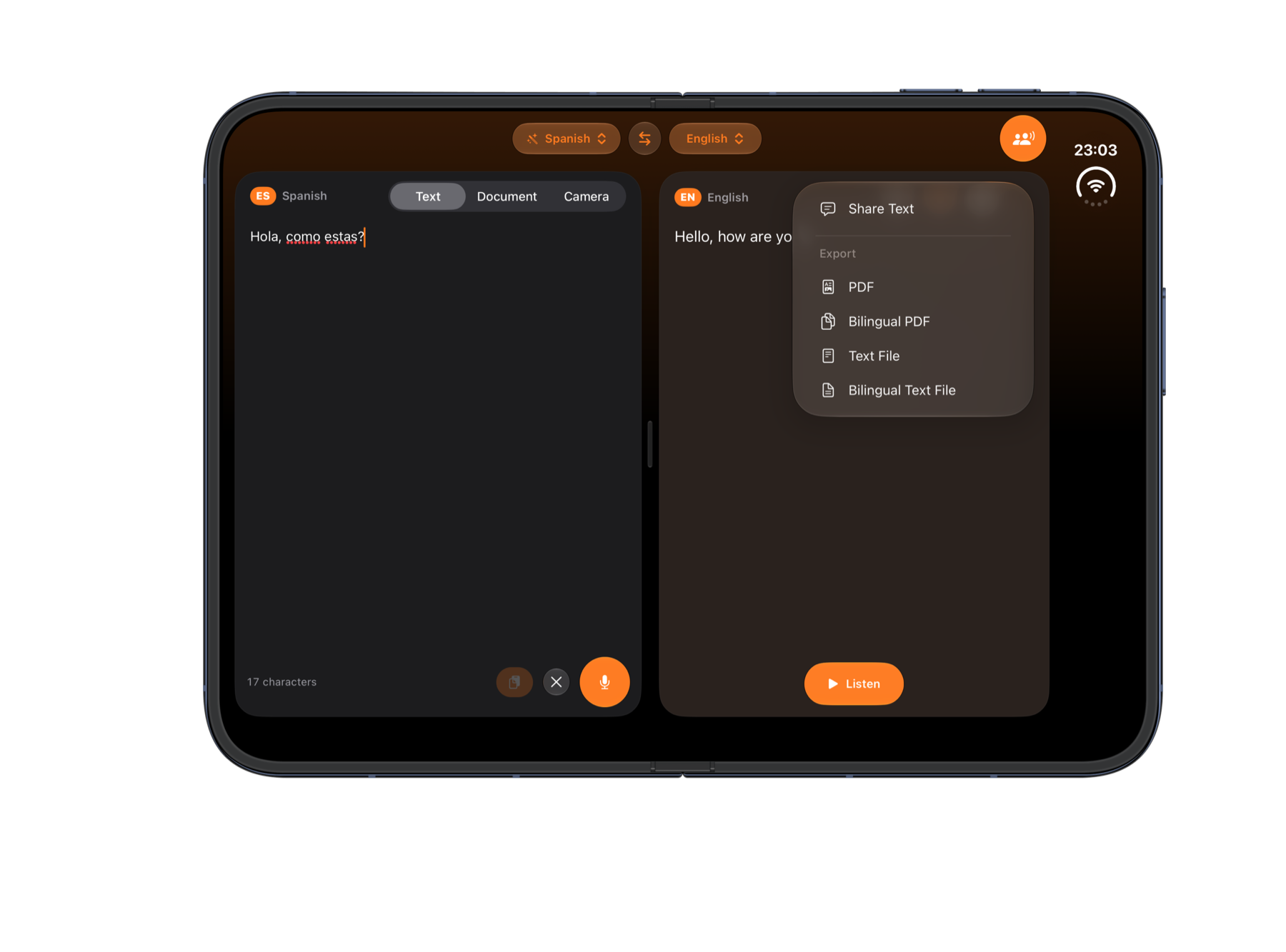
Bilingual PDFs
Export the original and the translation side by side, ready to print or send.
Conversation
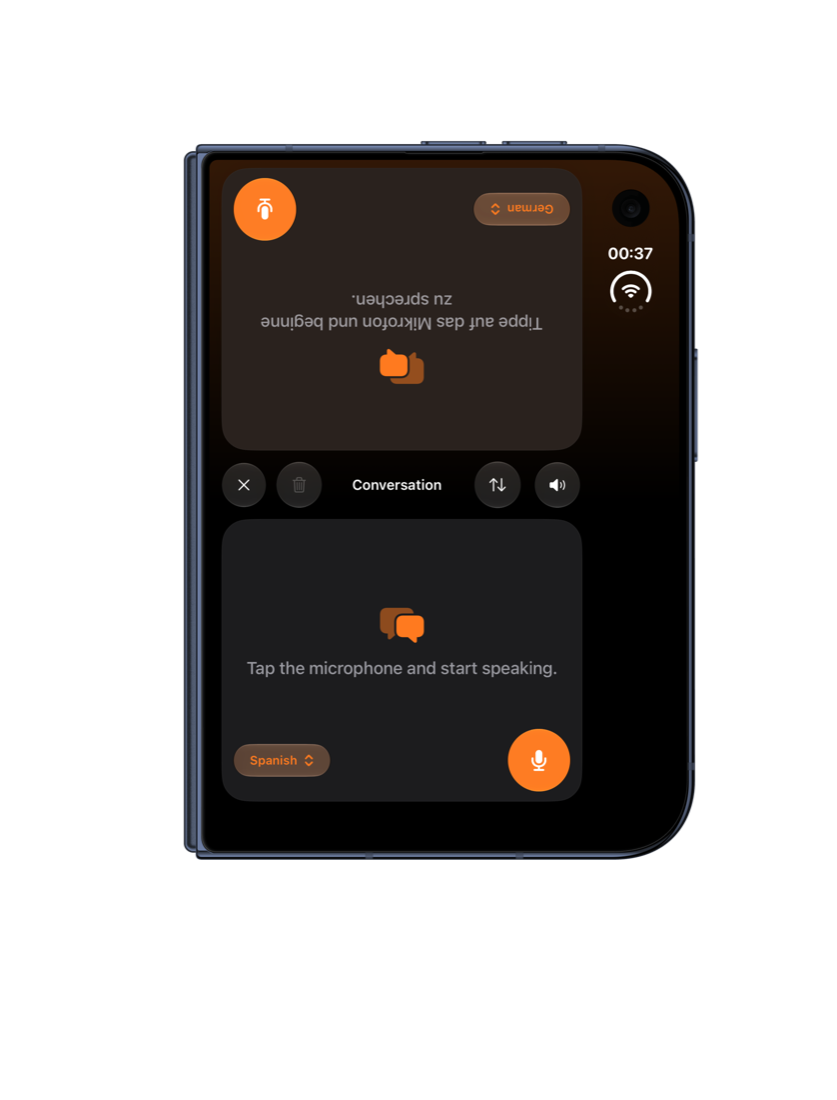
Take turns speaking. Each turn is translated and read aloud for the other person.
Keyboard shortcuts
Swap languages, paste an image, copy or export without leaving the keyboard.
One purchase, every device. Language packs you buy on iPhone are also unlocked on your Mac.
Now it translates wherever you write.
Chat in WhatsApp, Messages or Telegram, read in Safari, or select text in any app. DuoLang is there, with your languages, your tone and your glossary.
DuoLang Keyboard
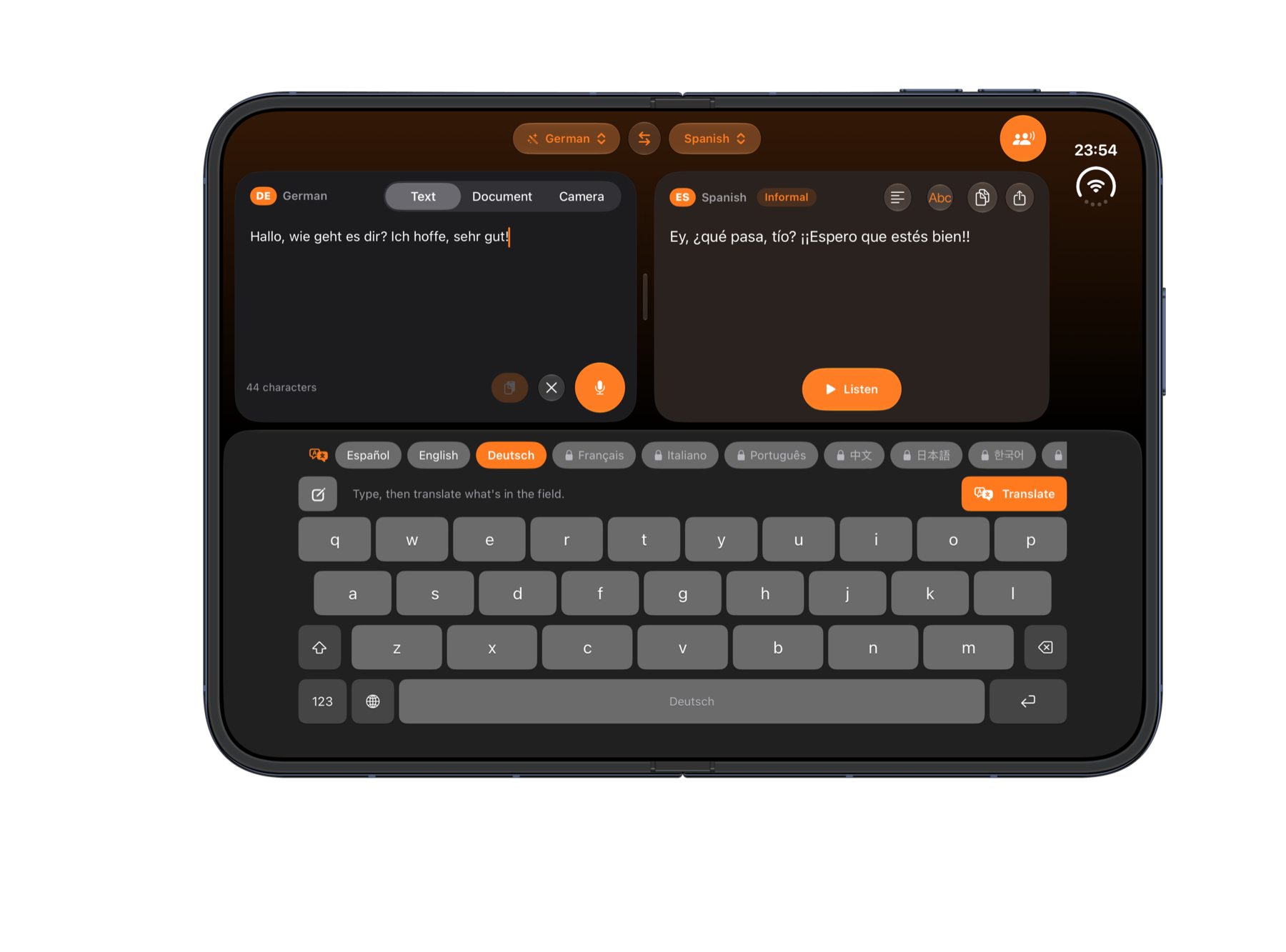
Type your message, pick a language and tap Translate. The whole message is replaced with its translation, right in the chat.
Your default translator
Make DuoLang your default translation app. Select text in Safari or any app, tap Translate, and DuoLang opens right there.
From the Share sheet
Share a selection or a whole web page with DuoLang to read it translated live, then copy the result.
Write in your language. Send it in theirs.
A full keyboard with a language bar on top. Type as usual, tap Translate, and send. It uses the same on-device model, tone and glossary as the app.
- Translates the whole message, or just the text you select.
- Draft mode. Write inside the keyboard and insert only the translation.
- Changed your mind? Undo puts your original text back.
- Accents and special letters like ñ, ü, ß or ç: just hold a key.
Turn it on once. Use it everywhere.
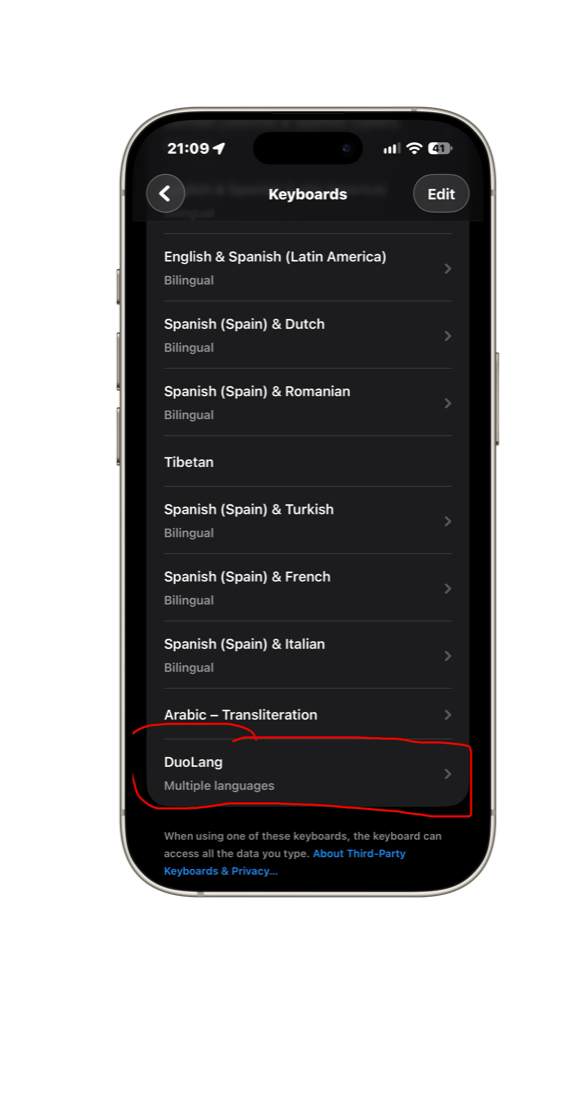
Add the DuoLang Keyboard
- Open Settings › General › Keyboard › Keyboards.
- Tap Add New Keyboard and choose DuoLang.
- In any app, touch and hold the globe key to switch to DuoLang.
Full Access is optional. DuoLang never stores or sends what you type.
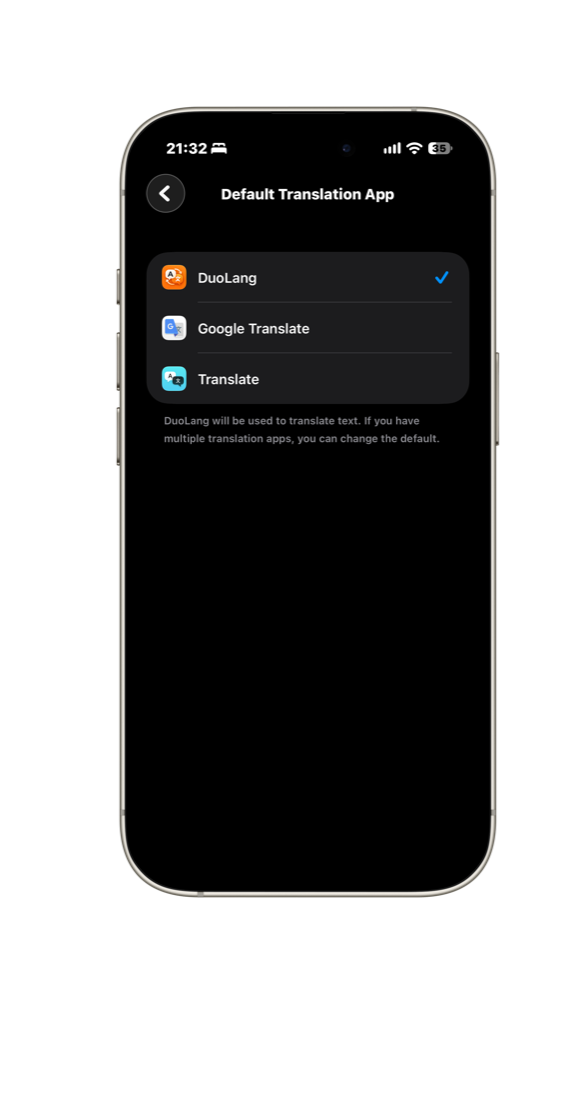
Make DuoLang your translator
- Open Settings › Apps › Default Apps.
- Tap Translation and choose DuoLang.
- Select text in any app and tap Translate.
The Share sheet action works without any setup.
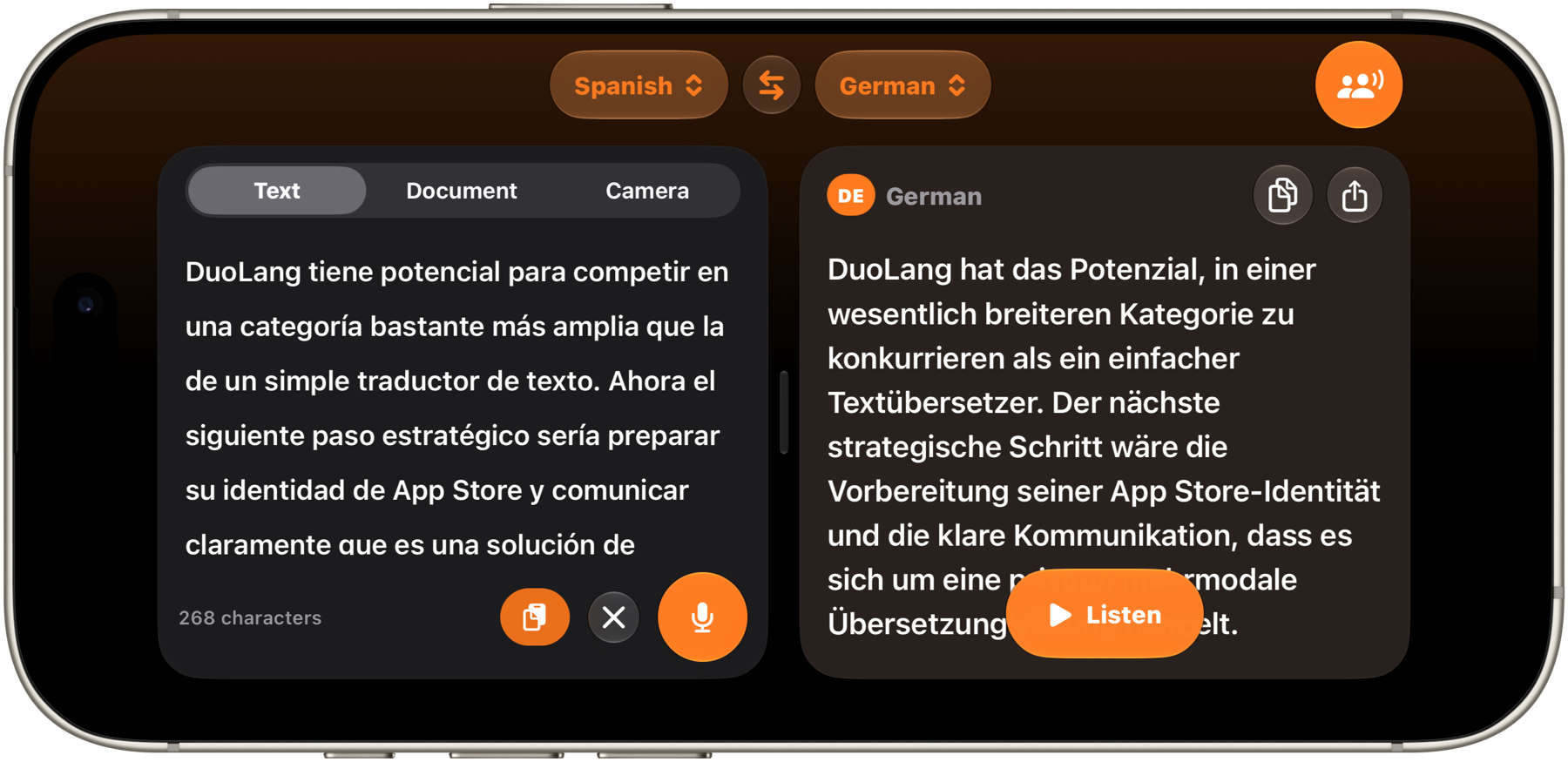
The original and the translation, side by side.
Turn your iPhone sideways, or unfold your iPhone Duo, and see both texts at once. Drag the divider to give either side more room. On a narrower screen, switch between Original, Translation and Aligned with a single tap.
However the words reach you.
The translation appears word by word as you type, so you never wait for a button. Long texts and documents are handled in sections, so even multi-page content translates smoothly.
Text
Type or paste anything you want to translate.
Dictation
Tap the microphone and speak. DuoLang writes as you talk, in the language you choose.
Documents
Import a PDF or image from Files or Photos. Text is read on device, even from scanned pages.
Camera
Point your camera at a sign, a menu or a label and translate it live.
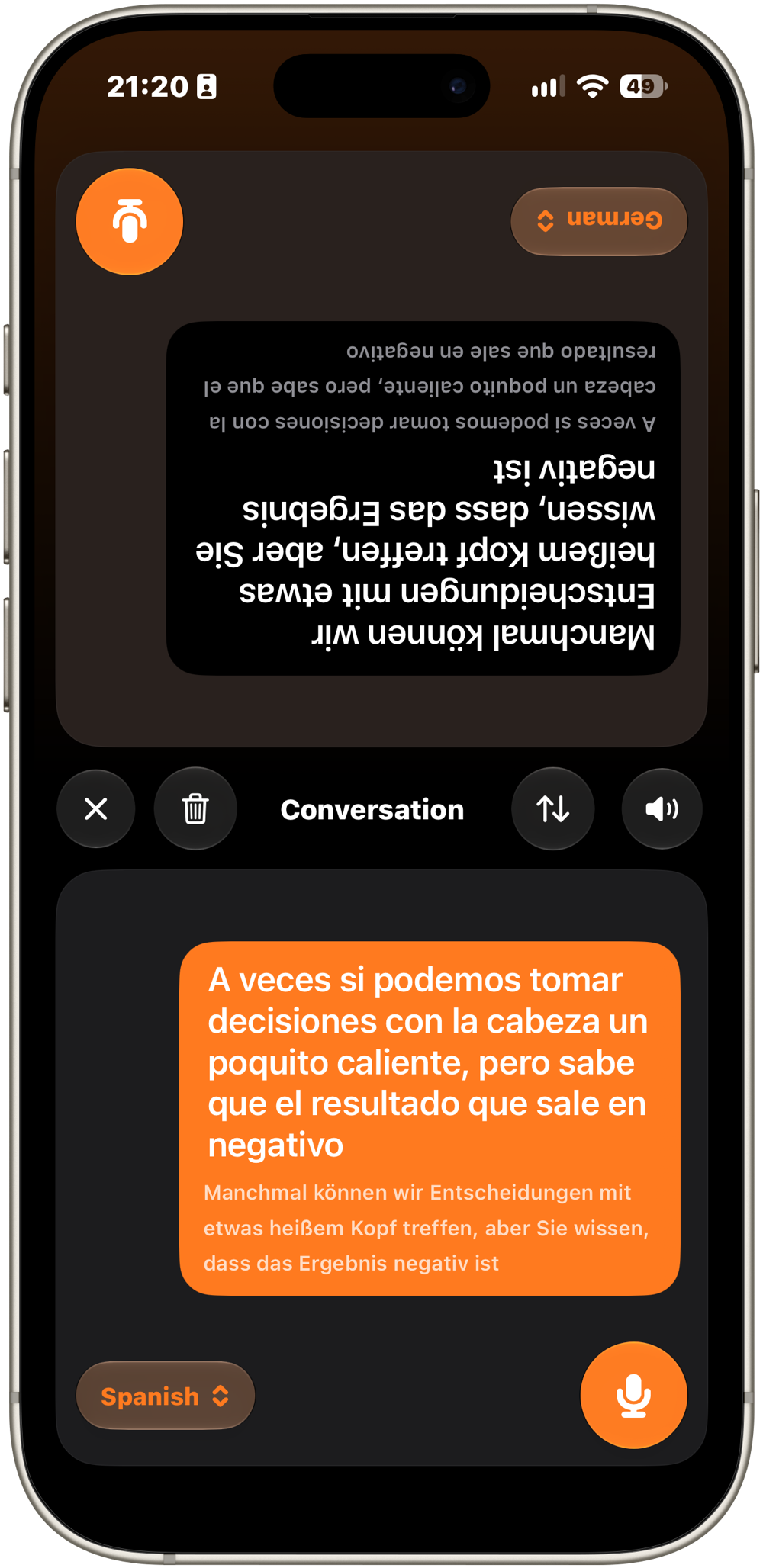
Put it on the table and just talk.
The screen splits in two, and the other person's half turns toward them, so each of you reads in your own language.
- Take turns at the microphone. Each turn is translated and read aloud for the listener.
- Sitting side by side? Switch the layout with one tap.
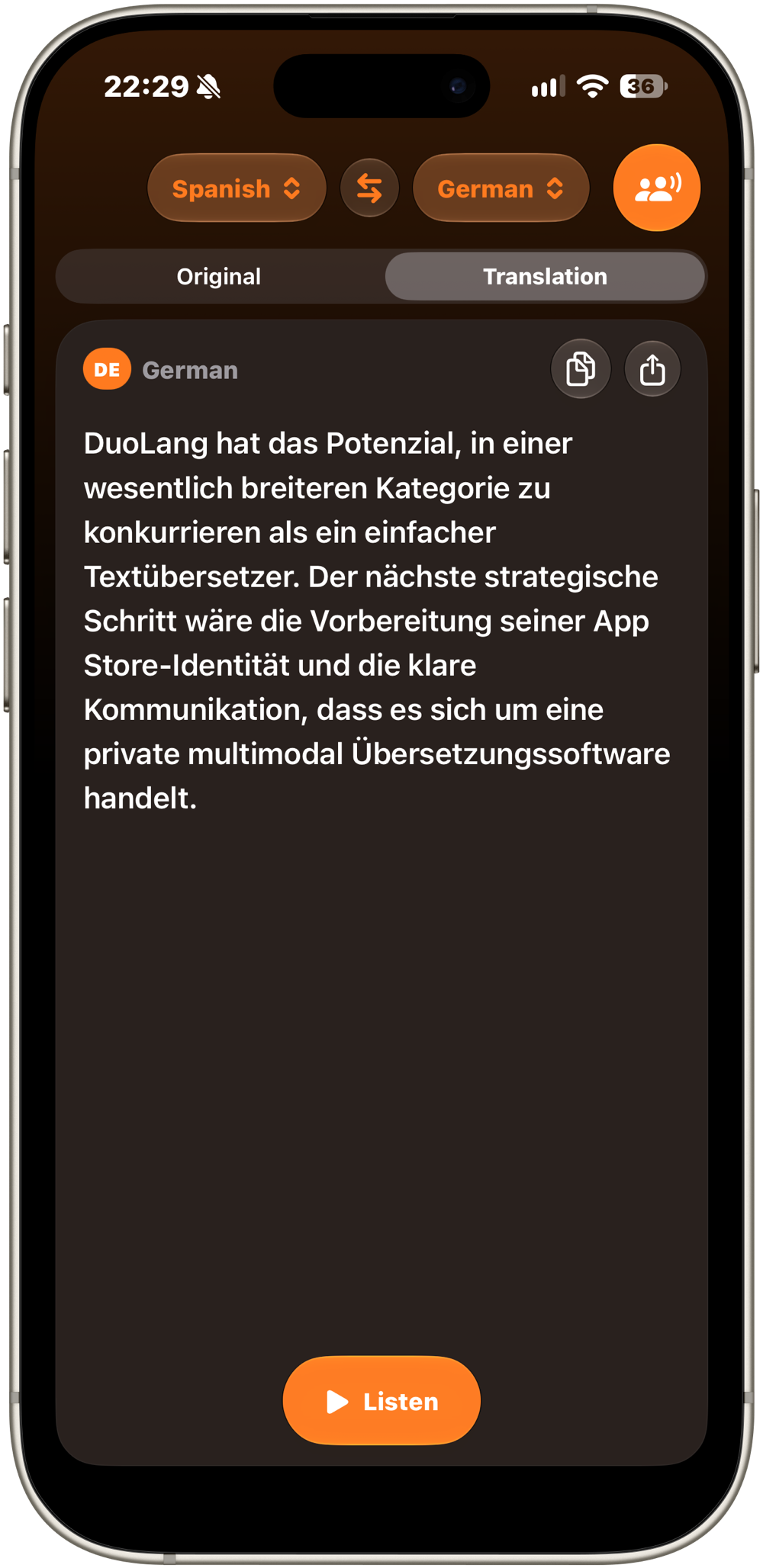
Hear every translation in a natural voice.
Tap Listen to hear any translation spoken in a natural voice for that language, with each word highlighted as it's read. Choose the speed that suits you, then copy or share the result to any app.
Small things that make it easy.
Tone and glossary
Choose a formal or informal tone, and add names or terms that should never be translated.
Aligned view
Read each paragraph with its translation right below it, perfect for studying or checking a document.
Export to PDF or text
Save the translation, or a bilingual version with both languages, as a PDF or a text file.
Siri and Shortcuts
Ask Siri to translate a phrase, or open DuoLang straight into a conversation in the language you need.
Automatic language detection
Turn on Detect Language and DuoLang identifies it as you write. Type in your target language and the pair swaps automatically.
Subtitles on a second screen
Connect to a TV or monitor with AirPlay or a cable and show the translation as large, easy-to-read subtitles.
Your words never leave your iPhone.
Translation, text recognition and dictation all run on your device, and so does the DuoLang Keyboard. Your text, documents and voice are never sent to our servers or stored by DuoLang. Once the on-device models are downloaded, it keeps translating without a connection.
Read the privacy policy →Start free. Add what you need.
Optional one-time purchases. No subscription, ever.
Free forever
Included with the app.
Europe Pack
Asia Pack
Middle East Pack
Each pack unlocks its languages for translating both to and from them. Purchases can be restored at any time.
Designed for iOS
Built with Liquid Glass, DuoLang adapts as your screen changes, from a compact one-handed layout on the outer display to a full side-by-side view when you unfold your iPhone Duo. It supports Dark Mode, Dynamic Type and VoiceOver, and its interface is available in English, Spanish and German.
Requirements
Translation requires an iPhone that supports Apple Intelligence, with Apple Intelligence turned on in Settings. Dictation and speech models for a language may download the first time you use them. Live camera scanning requires a supported device. The DuoLang Keyboard has a Latin-alphabet layout but translates into every DuoLang language. To translate text written in Chinese, Japanese, Korean or Arabic, select it and tap Translate.